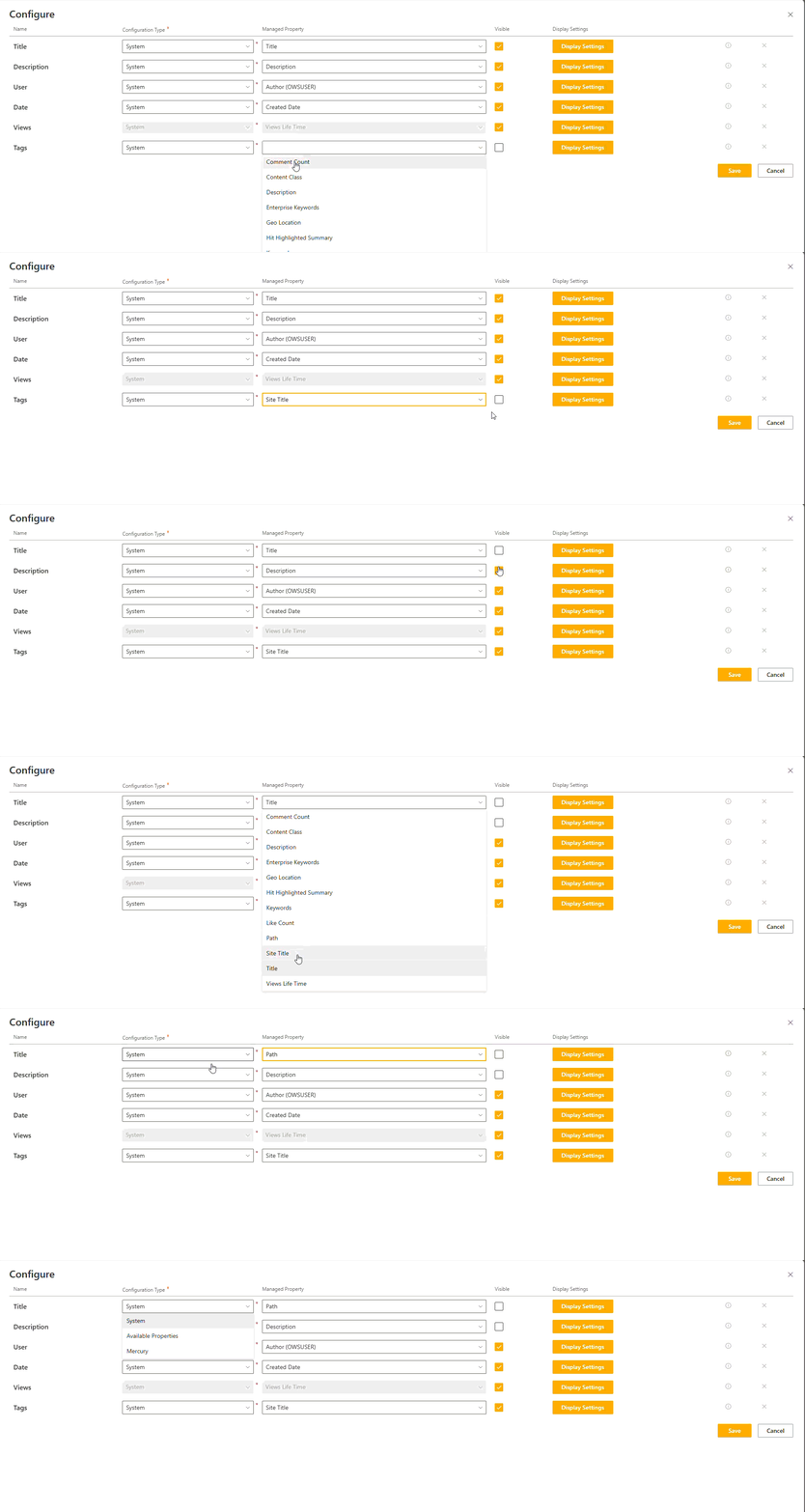
Template Mappings
Template mappings are used to control what data is show in the display from the search result.
Each display template has a outlined list of mappings that relate to the selected display template based on the type of content. Each mapping has been assigned a default system property, this is to ensure data is shown on the template when selecting different ones. These mappings cannot be added or removed.
Clicking the 'Configure' button below the display template will open the template mappings configuration.
Configuration
Name
The name is what ties the mapping together in the display template. Users are unable to edit this value.
Configuration Type
The configuration type sets the options available in the Managed Property.
Options may vary depending on tenant property configuration or if you are a Mercury/ docCentrum Customer.
| Property | Description |
|---|---|
| System | A list of out of the box SharePoint properties. |
| Available Properties | A list of mapped refineable properties. |
| Advanced | A list of properties configured in tenant properties. |
| Mercury | A list of Mercury properties, only avaiable with a Mercury installation |
| docCentrum | A list of docCentrum properties, only available with a docCenturm installation. |
Managed Property
The managed property sets the value to be used in the display.
Options are set depending on what is selected in the configuration type.
Sortable
When enabled the column can be sorted by the user.
Note
Only available for the details list template
Column Name
The name of the column in the list.
Note
Only available for the details list template
Visible
When checked the mapping will be visible on the display.
When using the details list template if visible is not checked the column will be hidden.
Display Settings
Display settings control the mapping display.
Some common display settings are: - Font Size - Font Weight - Lines to Show - Tags to Show