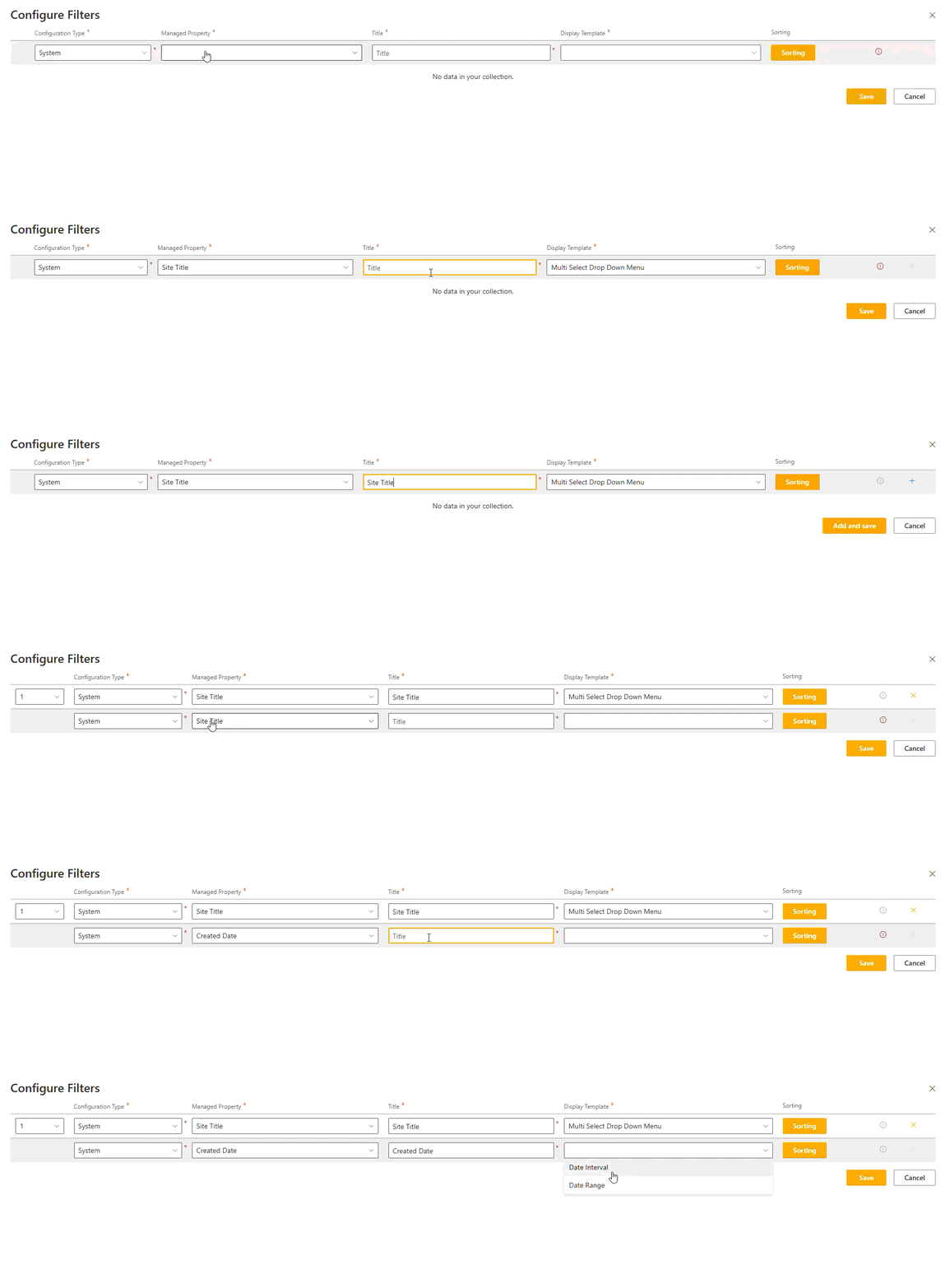
Filters
Filters are configured to allow users of the webpart to refine the default results using a range of dropdowns, checkboxes or date filters.
Configuration Type
The configuration type sets the options available in the Managed Property.
Options may vary depending on tenant property configuration or if you are a Mercury/ docCentrum Customer.
| Property | Description |
|---|---|
| System | A list of out of the box SharePoint properties. |
| Available Properties | A list of mapped refineable properties. |
| Advanced | A list of properties configured in tenant properties. |
| Mercury | A list of Mercury properties, only avaiable with a Mercury installation |
| docCentrum | A list of docCentrum properties, only available with a docCenturm installation. |
Managed Property
The managed property sets the property for the user to filter against when using the current filter.
Options are set depending on what is selected in the configuration type.
Title
The title is displayed above the filter control. This is to provide more context to the user that the managed property name might not provide.
Display Template
The display template provides a way of displaying the options of the filter to the user.
- Multi select dropdown
- Multi select checkboxes
The following two options are only avaiable when the property is a date type.
- Date interval
- Date range
Sorting
Set the sort type and direction for the options in the filter.
| Property | Description |
|---|---|
| Relevance | The options are ordered by the count of the option. |
| Alphabetical | The options are ordered alphabetically. |
Filter Operator
Set the operator to be and/or between applied filters.